
Download Cast Screen to TV – Cast PC to Smart TV, Projector, Streaming, Presentation, HD Display
Overview
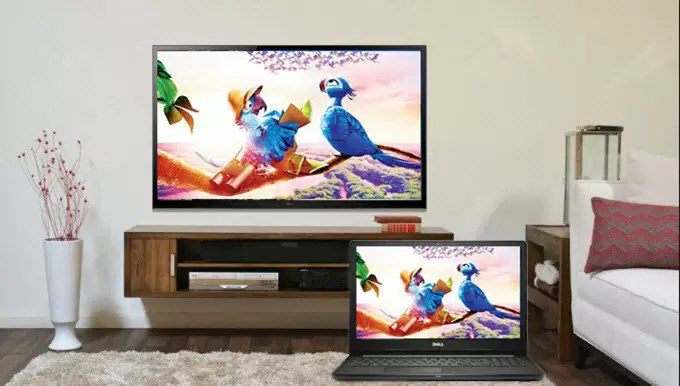
Cast Screen to TV is a mobile application designed to bridge the gap between personal computing and large-screen entertainment or presentation environments. The app enables users to wirelessly connect their PC to a smart TV or projector, facilitating seamless content sharing across devices. Its primary purpose is to enhance viewing and sharing experiences by allowing users to project videos, online courses, presentations, and other digital media onto a bigger screen with minimal effort. This functionality is particularly valuable for individuals seeking to improve their home entertainment setup or professionals needing to deliver dynamic presentations in meetings, classrooms, or collaborative workspaces.
The app targets a broad audience, including remote learners, educators, business professionals, and home users who value convenience and visual clarity. Whether watching a film, following an online tutorial, or presenting data, Cast Screen to TV streamlines the process of extending a PC’s display. It supports real-world use cases such as turning a living room into a personal cinema, conducting virtual lectures, or sharing project files during team discussions. By enabling high-quality, low-latency casting, the app contributes meaningfully to the mobile productivity and smart home ecosystem.
The developer did not provide additional background details. However, the app’s focus on usability and compatibility suggests a design philosophy centered on accessibility and performance. With a release date of 2025-08-11, Cast Screen to TV is positioned as a modern solution for an increasingly connected digital lifestyle.
Key Features & Functionality
- One-Tap Connection: The app simplifies device pairing with a single tap, eliminating complex setup procedures. Users can initiate a connection between their PC and compatible display in seconds, reducing friction during content sharing.
- Seamless Content Streaming: Supports streaming of videos, online courses, and multimedia directly from the PC to the TV or projector. This feature enhances immersion and viewing comfort, ideal for long-form content consumption.
- Optimized for Presentations: Enables real-time projection of slideshows, documents, and media files, making it a reliable tool for business meetings, academic lectures, and collaborative brainstorming sessions.
- High-Quality Display Output: Delivers sharp, vibrant visuals by supporting multiple resolutions, ensuring clarity for both text and high-definition video content.
- Wide Device Compatibility: Functions with various smart TVs and projectors across different brands and models, offering flexibility for users with existing hardware setups.
For example, a student can cast a recorded lecture from their laptop to a classroom projector with a single tap, ensuring all peers see the material clearly. Similarly, a remote worker can present a sales deck during a video call by projecting their screen to a large display without additional cables or software.
Interface, UX & Performance
Cast Screen to TV features a clean, intuitive user interface designed for ease of navigation. The layout emphasizes simplicity, with clearly labeled buttons and a streamlined workflow that guides users through the casting process. Visual cues and minimalistic design elements contribute to a distraction-free experience, allowing users to focus on content rather than controls.
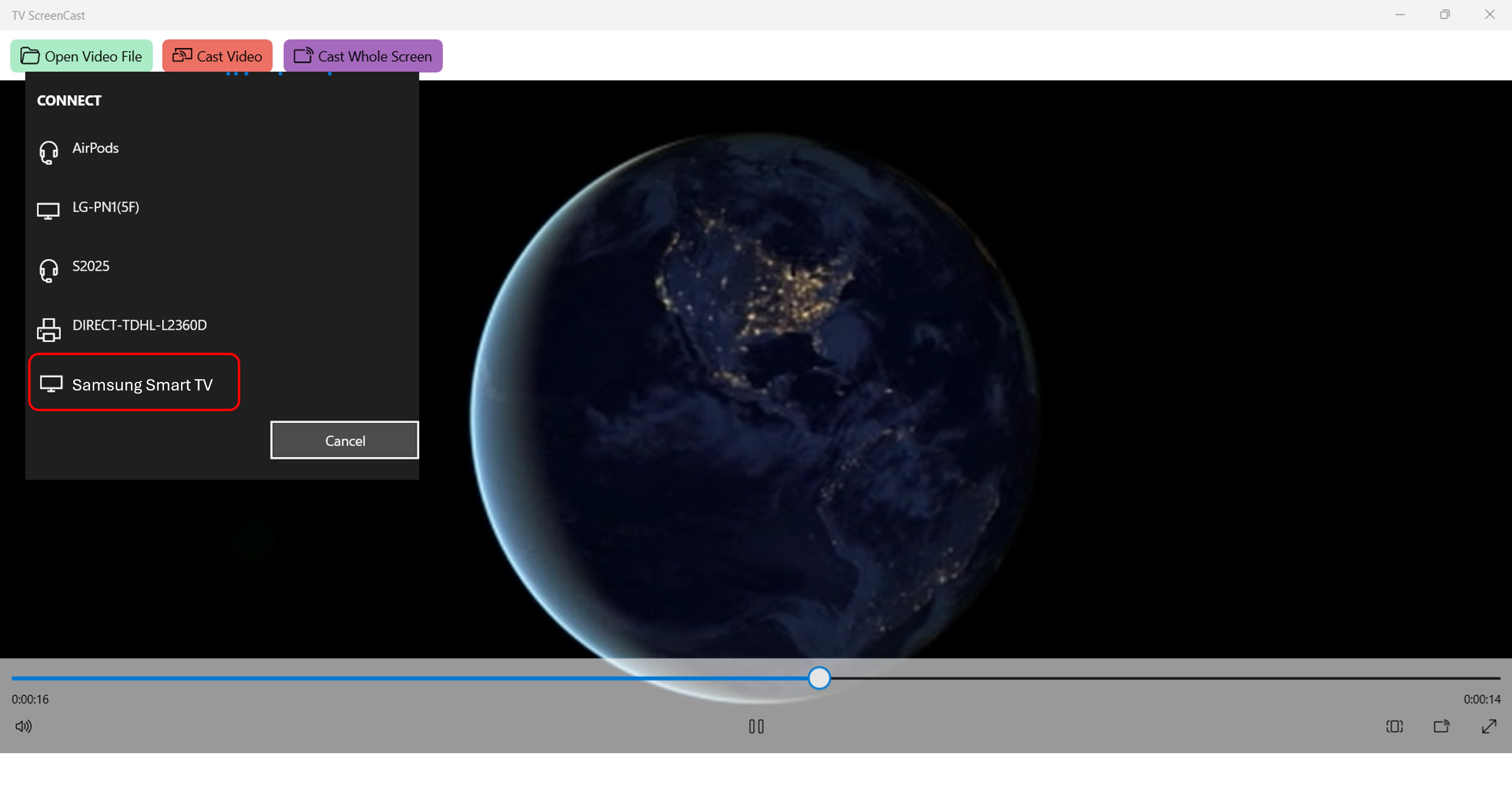
Navigation is straightforward, typically involving a few taps to initiate a connection, select a target device, and begin casting. The app maintains consistent responsiveness across different screen sizes and device types, suggesting optimized performance for a range of smartphones and tablets.
Although the developer did not list formal performance metrics, the app’s emphasis on one-tap connectivity and smooth streaming implies efficient background operations and stable data transmission. Stability during extended casting sessions has not been publicly reported, but the app’s design suggests it is built to handle continuous use without frequent crashes or disconnections.
Platform Compatibility & Technical Requirements
Cast Screen to TV is available for Android and iOS platforms. The application supports the latest versions of these operating systems, ensuring compatibility with current smartphones and tablets. The app’s file size is 18.7 MB, making it lightweight and suitable for devices with limited storage capacity.
Specific requirements were not listed. The developer did not specify minimum OS versions or hardware specifications. Compatibility information was not fully disclosed, so users are advised to ensure their devices meet standard modern mobile requirements for smooth operation.
Pros and Cons
Pros
- Simple one-tap connection process reduces setup time and complexity.
- Supports high-quality HD display output for clear visuals.
- Effective for both entertainment and professional use cases.
- Compatible with a variety of smart TVs and projectors.
- Lightweight app size suitable for most mobile devices.
Cons
- Specific technical requirements were not disclosed.
- Performance under low network conditions was not documented.
- Developer did not provide information on update frequency.
- Compatibility with older devices remains uncertain.
- Advanced settings or customization options were not described.
FAQ
Is Cast Screen to TV free to download and use?
The app’s pricing model was not publicly disclosed. Users should check the app store listing for current pricing details, including any in-app purchases or subscription options.
Can I use Cast Screen to TV with any smart TV?
The app supports a wide range of smart TVs and projectors, but specific compatibility details were not provided. Users should verify their device’s casting capabilities before installation.
Does the app require a Wi-Fi connection?
Yes, wireless casting requires a stable Wi-Fi network to transmit content between the PC and the display device. Performance may vary depending on network strength and congestion.
Is Cast Screen to TV secure for personal or business use?
While the app enables secure content sharing, no specific security protocols or encryption details were shared. Users should ensure their network is protected when transmitting sensitive data.
How often is Cast Screen to TV updated?
The update schedule was not specified. Users are encouraged to enable automatic updates to ensure access to the latest features and improvements.
Final Thoughts + CTA
Cast Screen to TV stands out as a practical, user-focused tool for anyone looking to extend their PC’s display to a larger screen. Its one-tap connection, high-quality output, and broad compatibility make it a reliable choice for both casual users and professionals. Whether you're streaming a movie, delivering a presentation, or teaching online, the app delivers a smooth and efficient experience.
While some technical details remain unspecified, the app’s clean interface and clear functionality suggest a well-thought-out design. For users seeking a straightforward way to cast content from their PC to a smart TV or projector, Cast Screen to TV offers a compelling solution in the growing ecosystem of mobile productivity tools.
Download Cast Screen to TV now


